About This Website
Why I Built This Project
My name is Mikael Rizvi-Syed, and I am a Computer Information Technology (CIT) student at California State University, Northridge taking CS/IS 260 at Glendale Community College. As someone who builds PCs, configures home networks, and works closely with computer hardware in Porter Ranch, California, I started wondering what happens to older processors, monitors, cables, and batteries once they get replaced.
Every year, millions of tons of discarded electronics end up in landfills or informal scrap yards where toxic heavy metals leak into soil and groundwater. I created this site to break down the environmental science behind electronic waste, share practical steps for safe disposal, and connect local residents with recycling resources.
What You Will Find on This Site
- Dangers of E-Waste: A breakdown of toxic metals (lead, mercury, cadmium, and BFRs) and how leachate contaminates ecosystems.
- How to Dispose Correctly: Step-by-step instructions for wiping personal data, handling lithium-ion batteries safely, and finding certified R2 or e-Stewards recyclers.
- Global Context & History: An interactive timeline from the 1970s to today, along with major international dump sites like Agbogbloshie and Guiyu.
- Community Tools & Services: A drop-off bin estimator, recycling supply catalog, outdoor sorting weather checker, and local consulting options.

The Dangers of Electronic Waste

Electronic waste contains dangerous heavy metals and toxic chemicals. When discarded devices are landfilled or burned, these substances leach into natural habitats, severely damaging the environment. The reason why I am highlighting this issue is to raise awareness about the harmful effects of e-waste that many of us are unaware of.
The Dangerous Chemicals in Devices
Common toxic substances found inside everyday electronics and their critical hazards:
Lead
It is found in legacy electronic components such as cathode-ray tube (CRT) glass, printed circuit board solder, and microchips. Any exposure to lead can cause irreversible neurological damage, cognitive impairments, cardiovascular disease, kidney failure, and reproductive toxicity. It severely inhibits plant growth and poisons aquatic habitats when it leaches into waterways.

Mercury
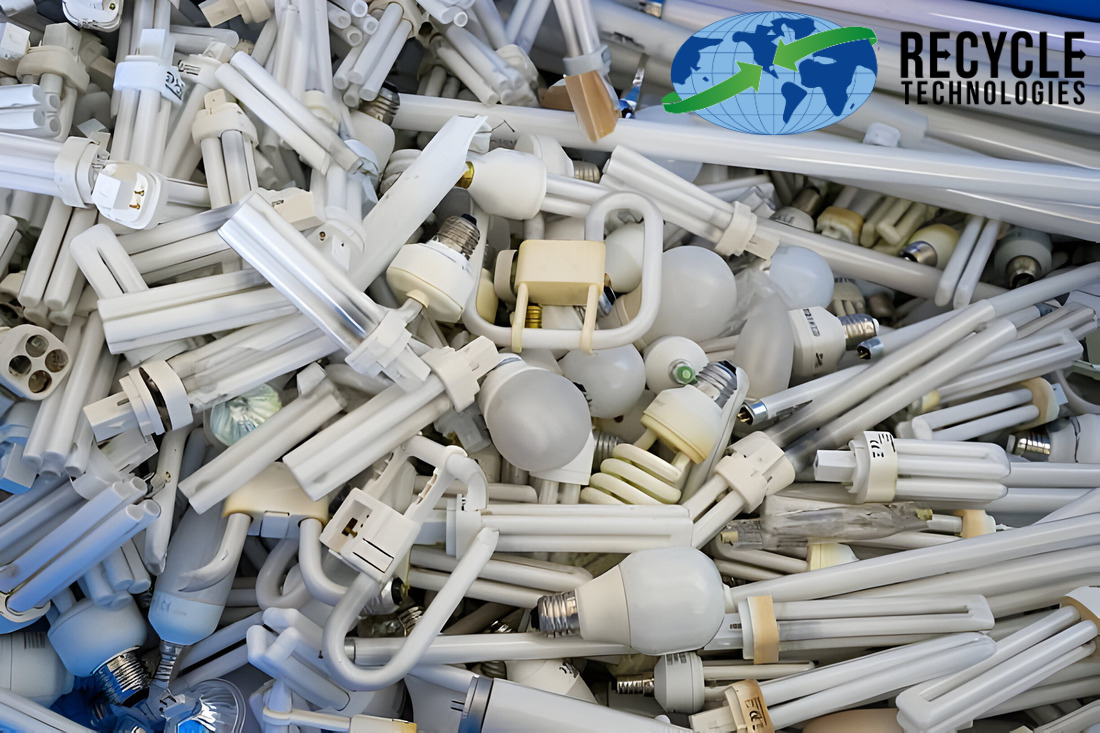
It is used in LCD backlight lamps, tilt switches, printed circuit boards, and cold cathode fluorescent tubes. Any exposure to mercury can cause severe neurological damage including tremors, muscle weakness, memory loss, and high blood pressure. When released into ecosystems, micro-organisms convert it into highly toxic methylmercury, which bioaccumulates up the marine food chain.
Cadmium
It is used in rechargeable batteries and semiconductor chips. Any exposure to cadmium can cause kidney failure, bone damage, respiratory issues, and cancer as it bioaccumulates in the body, leaving it to build in the body over time.

Brominated Flame Retardants (BFRs)
It is applied to plastic casings and circuit boards to prevent fires. Any exposure to BFRs can cause respiratory issues, hormonal disruption, and cancer as it releases persistent organic pollutants when exposed to heat.

Environmental Impacts
How toxic chemicals affect air, soil, and aquatic ecosystems:
Soil Contamination
- Heavy metals bind to soil particles, killing beneficial nitrogen-fixing microorganisms and destroying soil fertility.
- Toxic elements are absorbed by plant roots, directly accumulating in agricultural food crops.
Water Pollution
- Chemical runoff leaches into underground aquifers and drinking water reserves relied upon by local communities.
- Toxins poison river and ocean habitats, leading to bioaccumulation in fish and mass aquatic die-offs.
Air Degradation
- Open burning of plastic wiring and casings releases toxic fumes and carcinogenic dioxins into the atmosphere.
- Airborne chemical particulate dust travels long distances, settling on crops, soil, and surrounding populations.
Process of Chemical Contamination
The step-by-step path chemicals take from discarded devices into ecosystems:
- Electronics are dumped in unlined landfills or informal recycling yards.
- Weathering and physical damage break down protective outer plastic casings.
- Rainwater mixes with toxic metals inside the devices, forming liquid toxic runoff (leachate).
- Leachate seeps deep into soil layers and enters local groundwater supplies.
- Contaminated water and soil pass toxic chemicals into plants, animals, and human populations.
Sources
Here are my sources:
- Environmental Health Perspectives - Health Consequences of Exposure to E-Waste
- SAMR Inc. - Toxic Chemicals in Electronics and Why They're Dangerous
- World Health Organization - Electronic Waste (E-Waste) Fact Sheet
- U.S. EPA - Sustainable Management of Electronics & Cleaning Up E-Waste
- Columbia Climate School - What Can We Do About the Growing E-Waste Problem?
How to Correctly Dispose of E-Waste
Throwing old electronics into a regular household trash bin is illegal in California and many other regions because heavy metals and lithium-ion batteries cause landfill fires and toxic groundwater runoff. Follow these five steps to dispose of devices safely and legally.
5-Step Safe E-Waste Disposal Checklist
- Back Up & Erase Your Personal Data: Before recycling any computer, phone, or tablet, transfer important files to an external drive or cloud storage. Sign out of all accounts, perform a factory reset, or run a multi-pass drive wipe so personal data cannot be recovered.
- Remove & Isolate Loose Batteries: Take out removable lithium-ion or nickel-cadmium batteries from laptops, remotes, and tools. Cover exposed metal battery terminals with clear packing or electrical tape to prevent short-circuit fires during transport.
- Separate Working Devices for Reuse or Donation: If a laptop, monitor, or smartphone still powers on and functions properly, consider donating it to a local school program, nonprofit refurbisher, or community center rather than scrapping it.
- Verify R2 or e-Stewards Certification: Always choose a recycler certified under R2 (Responsible Recycling) or e-Stewards. Certified facilities guarantee that hazardous components are processed domestically without exporting toxic scrap to developing nations.
- Use Approved Drop-Off Centers or Municipal Events: Bring your boxed electronics to a city hazardous waste facility, a certified e-waste drop-off bin, or a participating electronics retailer take-back counter.
What Goes Where? Quick Sorting Reference
| Device Category | Examples | Proper Disposal Method | Never Do This |
|---|---|---|---|
| Computers & Screens | Desktops, laptops, LCD/LED monitors, CRT TVs | Certified R2 / e-Stewards recycler or city e-waste drop-off | Never place in curbside trash or blue recycling bins |
| Mobile Devices | Smartphones, tablets, e-readers, smartwatches | Manufacturer trade-in, retail kiosk, or certified recycler | Never donate or recycle without factory resetting first |
| Rechargeable Batteries | Lithium-ion packs, laptop batteries, power banks | Dedicated battery drop-off box with taped terminals | Never crush, puncture, or toss loose in metal bins |
| Cables & Peripherals | Keyboards, mice, chargers, HDMI/USB cords, routers | Electronics recycling bin or scrap copper/wire collection | Never burn plastic insulation off copper wiring |
Visual Reference: Certified Collection & Sorting
Municipal E-Waste Collection
Authorized collection centers sort monitors, towers, and peripherals onto pallets for safe downstream disassembly and material recovery.

Printed Circuit Board Recovery
Certified urban mining facilities safely extract gold, copper, and palladium from discarded circuit boards without releasing toxic fumes.

Find a Certified Recycler Near You
History of Electronic Waste
Drag the slider to animate through the history of e-waste across decades:
Year: 1970
1970s - Early Industrial Computing
Vacuum tubes and mainframe computers contained unmonitored lead and heavy metals. Waste was dumped directly into municipal landfills without environmental testing.
Primary Toxic Material: Lead, CRT Glass, Copper Wiring
Historical Overview
- 1970s - Early Industrial Computing: Vacuum tubes and mainframe computers contained unmonitored lead and heavy metals buried in municipal landfills.
- 1989 - Basel Convention: Global treaty created to stop developed nations from exporting hazardous waste to developing nations.
- 2000s - PC & Mobile Phone Boom: Mass adoption of personal electronics led to a sharp increase in leaded glass CRT scrap and lithium battery waste.
- Present Day - Circular Economy: Modern initiatives focus on certified urban mining, producer responsibility laws, and strict recycling standards.
Frequently Asked Questions
What is e-waste?
E-waste includes discarded electronic products such as computers, televisions, VCRs, cell phones, stereos, and batteries.
Why can't e-waste go in normal trash?
Heavy metals such as lead, cadmium, and mercury leach out into ground soil and drinking water supplies when placed in municipal unlined landfills.

Never throw old electronics in the trash.
How do I dispose of e-waste correctly?
Take it to a certified e-waste recycler, a city or county collection event, or a drop-off bin like the one shown below. Check the list of accepted items first, and remove items from their packaging.

A designated e-waste drop-off bin is the right place for old electronics.
How do I prepare my computer for disposal?
Perform a complete hard drive wipe or physical drive destruction to protect your private personal data prior to recycling.
What items count as e-waste?
Computers, laptops, monitors, TVs, printers, keyboards, cell phones, tablets, game consoles, cables, chargers, and anything else with a circuit board or battery.
Can I recycle batteries with other e-waste?
Not usually. Lithium-ion and rechargeable batteries can start fires if crushed or damaged, so many recyclers collect them separately. Tape the terminals and use a battery drop-off location.
Does recycling e-waste cost money?
Many cities, retailers, and recycling events accept common electronics for free. Some items, such as old CRT TVs and monitors, may carry a small fee because they contain leaded glass.
What happens to my device after I recycle it?
Certified recyclers separate the device into plastics, glass, and metals, safely remove hazardous materials, and recover valuable metals like gold and copper to be reused in new products.
Can I donate working electronics instead?
Yes. Donating or refurbishing working devices extends their life and keeps them out of the waste stream. Wipe your data first and give them to a schools program, charity, or refurbisher.
Why does e-waste end up in developing countries?
Some of it is illegally exported because processing it abroad is cheaper than doing it safely at home. Workers at sites like Agbogbloshie and Guiyu are exposed to toxic fumes. Using a certified recycler helps prevent this.
What is a certified e-waste recycler?
A recycler audited to standards such as e-Stewards or R2, which require safe handling, data security, and no dumping in landfills or developing countries.
Donate to E-Waste Cleanups
Select a financial contribution level to support recycling drives:
Weather & Outdoor Recycling Checker
Check weather conditions before conducting outdoor recycling events:
Click button above to evaluate outdoor safety.
Supplies You Need to Dispose of E-Waste
Everything you need to safely prepare, protect, and ship your old electronics for recycling:
| Item Name | Description | Price | Action |
|---|---|---|---|
| Prepaid E-Waste Shipping Box | Mailer box for small electronics like phones, tablets, and cables. | $24.99 | |
| Battery Recycling Box | Prepaid shipping mailer box for safe battery recycling. | $29.99 | |
| Hardware Shred Pouch | Prepaid mailer for physical disk destruction. | $19.99 | |
| Data Wiping USB Drive | Bootable drive for erasing hard drive data before recycling. | $12.99 | |
| Precision Screwdriver Kit | Tools for opening devices to remove hard drives and batteries. | $14.99 | |
| Safety Gloves & Glasses Set | Protective gear for handling broken or damaged electronics. | $9.99 | |
| Battery Terminal Tape | Insulating tape to cover battery terminals and prevent fires. | $4.99 |
Install a Community E-Waste Drop-Off Bin
6-Step Installation Guide
- Choose a secure, visible spot such as a school, library, or community center.
- Get permission from the property owner and check local rules.
- Partner with a certified e-waste recycler for pickups.
- Place the bin on level ground and lock or secure it.
- Post a sign listing accepted items and banned items (no loose batteries).
- Set a regular pickup schedule and inspect the bin each week.
Bin Estimator
Expected devices dropped off per month:
2 bin(s) recommended.
Rough planning estimate: about 50 devices per bin per month.
Famous Advocates
- Sir David Attenborough: Renowned naturalist advocating for international action against marine microplastics and dumped consumer waste.
- Boyan Slat: Founder of The Ocean Cleanup, developing advanced river interception systems to catch discarded plastic and battery waste before reaching the ocean.
Global E-Waste Dumping Locations


| Location Name | Country | Primary Toxic Waste |
|---|---|---|
| Agbogbloshie | Ghana | Lead, Copper Wire Burning Fumes |
| Guiyu | China | Acid Runoff, Mercury, Circuit Scrap |
| Seelampur | India | Lead Solder, Airborne Metal Particulates |
Table of Contents
Complete directory of pages on this website:
1. Learn & Research
2. Global Impact & Data
3. Take Action & Reference
Contract
Contact Us
Send a message directly to Mikael Rizvi-Syed regarding electronic waste initiatives.
Copyrights & Image Licensing Table
© 2026 Mikael Rizvi-Syed. All research text released under Creative Commons CC BY 4.0 for educational purposes.
Image Source Attribution Index
| Asset Description | Source / Publisher | License Terms | Direct URL |
|---|---|---|---|
| Agbogbloshie Scrap Yard | Wikimedia Commons | CC BY 3.0 | Wikimedia Source |
| Guiyu Scrap Dumping | NUS Environmental Journal | Educational Citation | NUS Source |
| CRT Glass Monitor Tube | Clean Management Inc. | Fair Use | Clean Management Source |
| Fluorescent Mercury Bulbs | Recycle Technologies | Royalty Free | Recycle Tech Source |
| Battery Scrap Heap | Washington Post | Editorial Citation | WaPo Source |
| Computer Hardware Heap | SAMR Inc. Blog | Informational Citation | SAMR Blog Source |
| Sorted E-Waste Collection Facility | Wikimedia Commons | CC BY-SA 3.0 | Wikimedia Source |
| Electronic Waste Circuit Boards | Wikimedia Commons | CC BY 2.0 | Wikimedia Source |
| E-Waste Monitors & Hardware Collection (About Page) | Wikimedia Commons (George Hotelling) | CC BY-SA 2.0 | Wikimedia Source |
| Brominated Flame Retardants (BFRs) | Asia Research News | CC BY 2.0 | Asia Research News Source |